

⭐ Our Pick: Bambu Lab A1 Combo — 4.5/5
Best for: Home users and creators who want fast, quiet, nearly hands-free printing — with easy 4-color prints out of the box.
Skip if: You need to print engineering materials like ABS, ASA, or carbon-fiber blends regularly — an enclosed printer such as the Creality K1C or QIDI Q1 Pro will serve you better.
As an Amazon Associate we earn from qualifying purchases. How we research.
Best 3D Printers for Home & Professionals (2026)
Buying a 3D printer in 2026 is both easier and harder than it used to be. Easier, because modern machines handle the painful parts — bed leveling, calibration, filament loading — mostly on their own. Harder, because the market is crowded with machines that look nearly identical on paper but behave very differently on your desk.
We compared 7 of the most relevant 3D printers on Amazon right now, covering the full spread from budget beginner machines to enclosed, pro-friendly workhorses. We weighed print quality and reliability first, then speed, ease of use, material range, and real owner feedback — not just spec sheets.
The short answer: the Bambu Lab A1 Combo is the best 3D printer for most home users and creative professionals in 2026. It prints up to 500mm/s (the brand’s stated maximum), runs quietly at 48dB or less, calibrates itself fully automatically, and includes multi-color printing right out of the box. If your work involves ABS, ASA, or carbon-fiber filaments, look instead at the enclosed Creality K1C — our pick for more demanding professional use.
As an Amazon Associate we earn from qualifying purchases.
Quick Comparison of the Best 3D Printer
| Product | Best for | Key spec | Price tier | Rating |
|---|---|---|---|---|
| Bambu Lab A1 Combo | Most home users & creators | 4-color printing, ≤48dB quiet | Mid-range | 4.5/5 |
| Creality K1C | Pro & engineering materials | Enclosed, 300°C, carbon-fiber ready | Mid-range | 4.4/5 |
| Creality Ender 3 V3 SE | Beginners on a budget | 250mm/s max, auto leveling | Budget | 4.2/5 |
| Flashforge Adventurer 5M | Hassle-free home printing | CoreXY, 600mm/s (brand claim) | Mid-range | 4.3/5 |
| ELEGOO Neptune 4 Pro | Tinkerers & Klipper fans | Klipper firmware, 500mm/s | Budget | 4.2/5 |
| Anycubic Kobra 3 Combo | Budget multi-color printing | 4-color, 600mm/s (brand claim) | Budget | 4.1/5 |
| QIDI Q1 Pro | Advanced materials at home | 60°C heated chamber, 350°C | Mid-range | 4.3/5 |
Prices change frequently — click through to see the current price.
Detailed 3D Printer Reviews
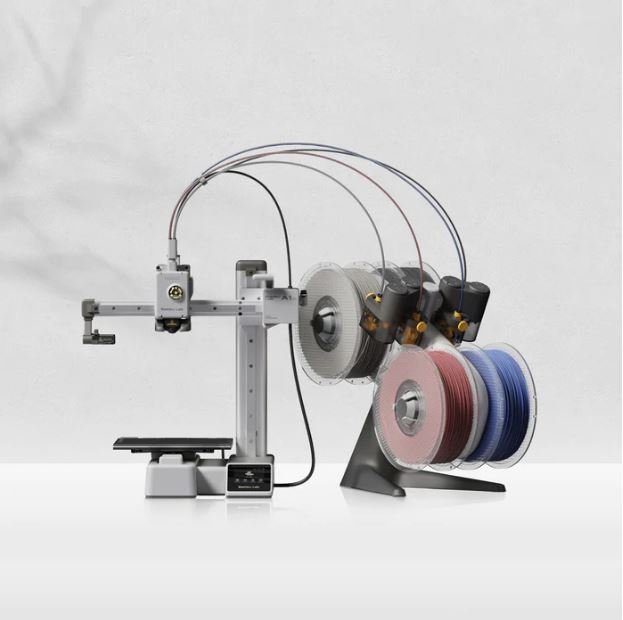
Bambu Lab A1 Combo — Our Top Pick
The A1 Combo is the machine that made 3D printing feel effortless for mainstream buyers. It’s a bed-slinger (the bed moves back and forth) rather than a CoreXY machine, but Bambu Lab’s motion control and automatic calibration make it print fast and clean — the brand states speeds up to 500mm/s with acceleration up to 10,000mm/s². What really sets it apart is the complete experience: full-auto calibration, active flow-rate compensation, a ≤48dB quiet rating, and the AMS Lite add-on that enables 4-color printing without any aftermarket upgrades.
- Build volume: 256 × 256 × 256mm
- Speed: Up to 500mm/s max (brand claim); open-frame design
- Multi-color: AMS Lite supports up to 4 colors out of the box
- Calibration: Full-auto calibration and active flow-rate compensation
- Noise: Rated ≤48dB — among the quietest here
- Filaments: PLA, PETG, TPU, PVA (open frame limits high-temp materials)
Pros: The easiest setup-to-first-print experience in this roundup; excellent multi-color support included; genuinely quiet for a home office or living room; strong print quality at high speeds; huge owner community and spare-parts availability.
Cons: Open-frame design means ABS/ASA and carbon-fiber filaments are off the table for most users; the AMS Lite adds noticeable desk footprint; premium pricing compared to budget rivals with similar raw specs; cloud-based features may not suit privacy-focused users (a LAN-only mode exists, but setup takes more effort).
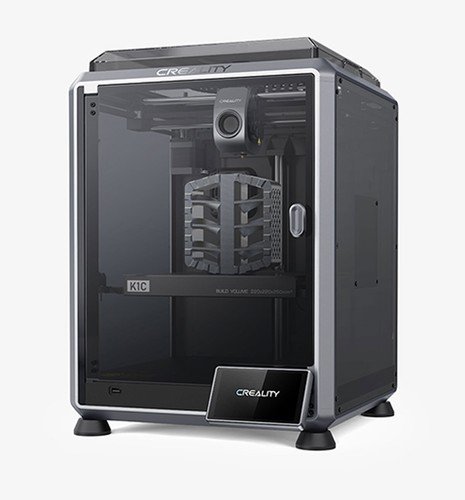
Creality K1C — Best for Professionals & Engineering Materials
If your projects involve functional parts rather than display models, the K1C is the smarter buy. It’s a fully enclosed CoreXY printer with a 300°C hotend, an AI camera, an activated carbon filter, and a switchable silent mode — and Creality specifically positions it for carbon-fiber filaments thanks to its steel-tipped nozzle. The brand claims print speeds up to 600mm/s with 20,000mm/s² acceleration, and the enclosed chamber keeps temperatures stable for warp-prone materials like ABS and ASA.
- Build volume: 220 × 220 × 250mm
- Speed: Up to 600mm/s max (brand claim), 20,000mm/s² acceleration
- Enclosure: Fully enclosed with activated carbon filter
- Hotend: 300°C with steel-tipped nozzle; carbon-fiber filament support
- Extras: AI camera, auto leveling, silent mode
- Filaments: PLA, PETG, TPU, ABS, PLA/PA-CF, ASA
Pros: Enclosed chamber unlocks ABS/ASA/carbon-fiber printing at home; carbon filter helps with fumes and odor; AI camera adds print monitoring; quiet mode is genuinely useful in shared spaces; strong value for a pro-capable enclosed CoreXY.
Cons: Smaller build volume than the A1; no multi-color support out of the box (no filament system included); enclosed design makes maintenance and part access trickier; some owners report firmware quirks that need updates.
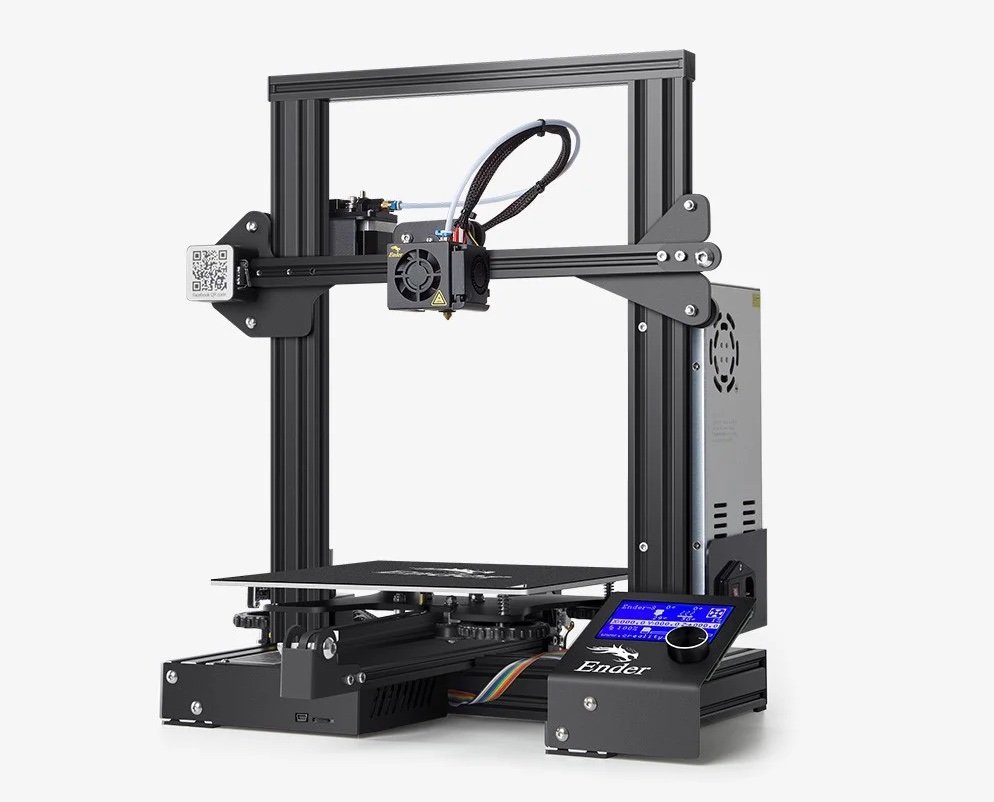
Creality Ender 3 V3 SE — Best Budget Pick for Beginners
The Ender 3 line is the machine that introduced most people to 3D printing, and the V3 SE keeps that tradition alive at the lowest price in this roundup. You get a 250mm/s maximum speed (brand claim), CR Touch auto leveling with automatic Z-offset, Creality’s proven “Sprite” direct extruder, and dual Z-axis lead screws for stability. Assembly is a genuine 3-step, roughly 20-minute job.
- Build volume: 220 × 220 × 250mm
- Speed: Up to 250mm/s max (brand claim), 2,500mm/s² acceleration
- Extruder: “Sprite” direct extruder — handles PLA, PETG, TPU (95A)
- Leveling: CR Touch auto leveling + strain-sensor auto Z-offset
- Assembly: Pre-assembled; about 20 minutes to first print
- Extras: Dual Z-axis, 32-bit silent mainboard, power-loss recovery
Pros: The most affordable way into reliable 3D printing; huge community means endless tutorials and upgrade parts; direct extruder handles flexible TPU well; quiet 32-bit board; power-loss recovery saves long prints.
Cons: Slower than every other printer here; smaller feature set (no camera, no enclosure, single color); open bed-slinger design is noisier and more exposed than enclosed rivals; filament loading is manual compared to newer auto-load systems. See current price on Amazon →
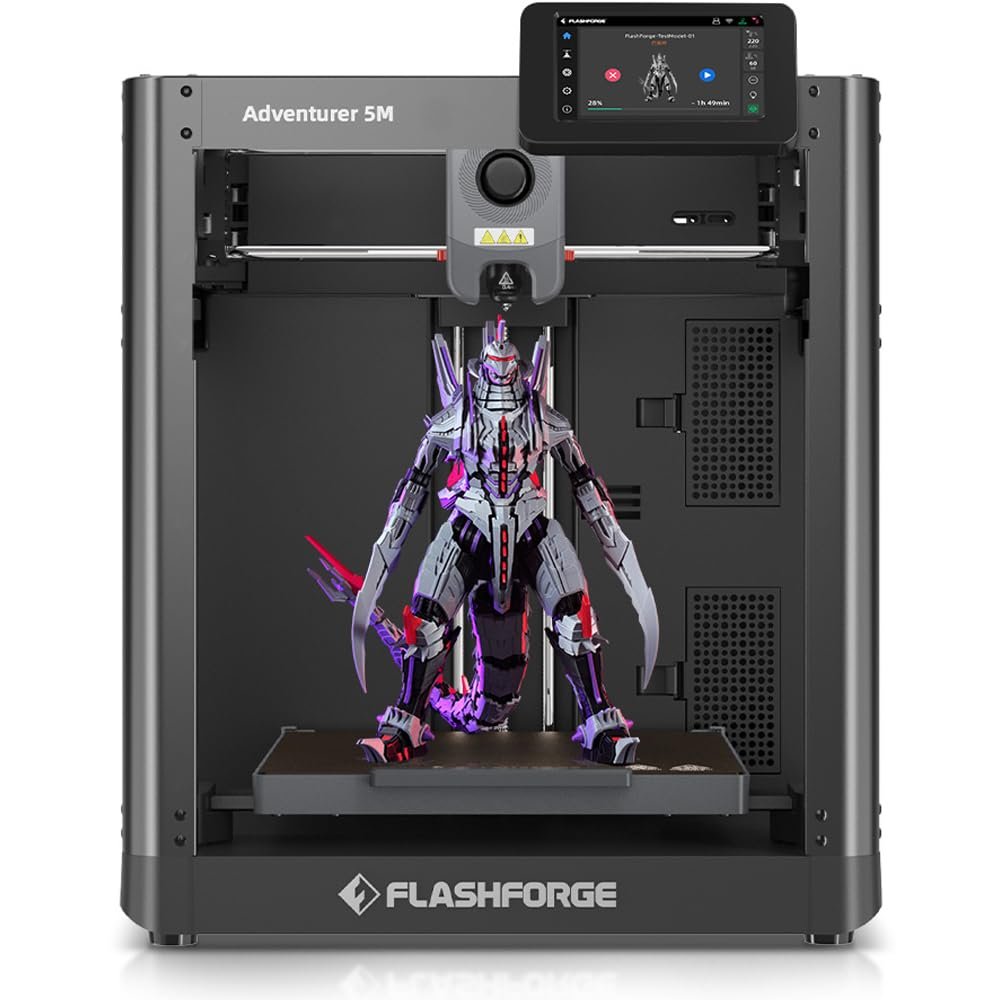
Flashforge Adventurer 5M — Best Plug-and-Play Mid-Range
The Adventurer 5M is the “just works” option for buyers who want CoreXY speed without the learning curve. It’s a fully assembled CoreXY machine with one-click automatic bed leveling, a 3-second quick-detach nozzle system, and a brand-claimed 600mm/s maximum speed with 20,000mm/s² acceleration. The 280°C direct extruder and dual-sided PEI plate make day-to-day printing genuinely low-friction.
- Build volume: 220 × 220 × 220mm
- Speed: Up to 600mm/s max (brand claim), 20,000mm/s² acceleration
- Motion: CoreXY all-metal structure
- Extruder: 280°C direct extruder; 3-second quick-detach nozzles (0.25–0.8mm supported)
- Ease of use: One-click auto leveling; 35-second nozzle heat-up (brand claim)
- Filaments: PLA, PETG, TPU, PETG-CF, PLA-CF
Pros: Truly minimal setup — print within minutes of unboxing; quick-swap nozzles are a real convenience; CoreXY stability at a mid-range price; vibration compensation for cleaner high-speed prints; optional enclosure and camera accessories available.
Cons: Open frame (enclosure is a separate purchase); camera and advanced filtration cost extra; smaller 220mm build cube; Flashforge’s software ecosystem is smaller than Bambu Lab’s or Creality’s. See current price on Amazon →

ELEGOO Neptune 4 Pro — Best for Tinkerers & Klipper Fans
The Neptune 4 Pro is the enthusiast’s value pick. It runs Klipper firmware natively — the open-source motion system that powers many speed-tuned printers — and pairs it with a 500mm/s maximum speed (brand claim), all-metal X/Y guide rails, a 300°C high-temp nozzle, and 121-point auto bed leveling. If you enjoy tuning, tweaking, and squeezing performance out of your machine, this is your playground.
- Build volume: 225 × 225 × 265mm
- Speed: Up to 500mm/s max (brand claim); Klipper firmware
- Motion: All-metal guide rails on X and Y axes
- Hotend: 300°C nozzle; direct-drive dual-gear extruder (5.2:1 reduction)
- Leveling: 121-point (11×11) auto bed leveling
- Filaments: PLA, PETG, ABS, TPU, nylon
Pros: Klipper out of the box is a big deal at this price; excellent speed-to-price ratio; high-temp nozzle handles ABS and nylon; segmented heated bed zones save power; very active modding community.
Cons: Not fully hands-off — expect more tuning than Bambu or Flashforge machines; no built-in camera; open frame limits ABS/ASA quality; ELEGOO’s support responsiveness gets mixed owner reviews. See current price on Amazon →

Anycubic Kobra 3 Combo — Best Budget Multi-Color Printer
Want multi-color prints without paying multi-color money? The Kobra 3 Combo bundles the printer with Anycubic’s ACE Pro filament system for 4-color printing, at a price that undercuts most multicolor rivals. It also claims 600mm/s maximum speed with 20,000mm/s² acceleration, LeviQ 3.0 auto leveling, vibration compensation, and a large 250 × 250 × 260mm build volume.
- Build volume: 250 × 250 × 260mm
- Speed: Up to 600mm/s max (brand claim), 20,000mm/s² acceleration
- Multi-color: ACE Pro enables 4-color printing (8-color with a second unit + hub)
- Leveling: LeviQ 3.0 auto leveling, no manual Z-offset
- Extras: Vibration compensation; Anycubic app with remote control
- Filaments: PLA, PETG, TPU
Pros: The cheapest path to multi-color 3D printing; generous build volume for the price; genuinely fast on paper; app-based remote control and monitoring; easy module-based assembly.
Cons: Open frame — no ABS/ASA; multi-color printing wastes filament on purge towers (true of all filament-swap systems, but worth knowing); newer brand ecosystem with a smaller community than Bambu or Creality; some owners report the ACE Pro needs careful filament-path setup. See current price on Amazon →
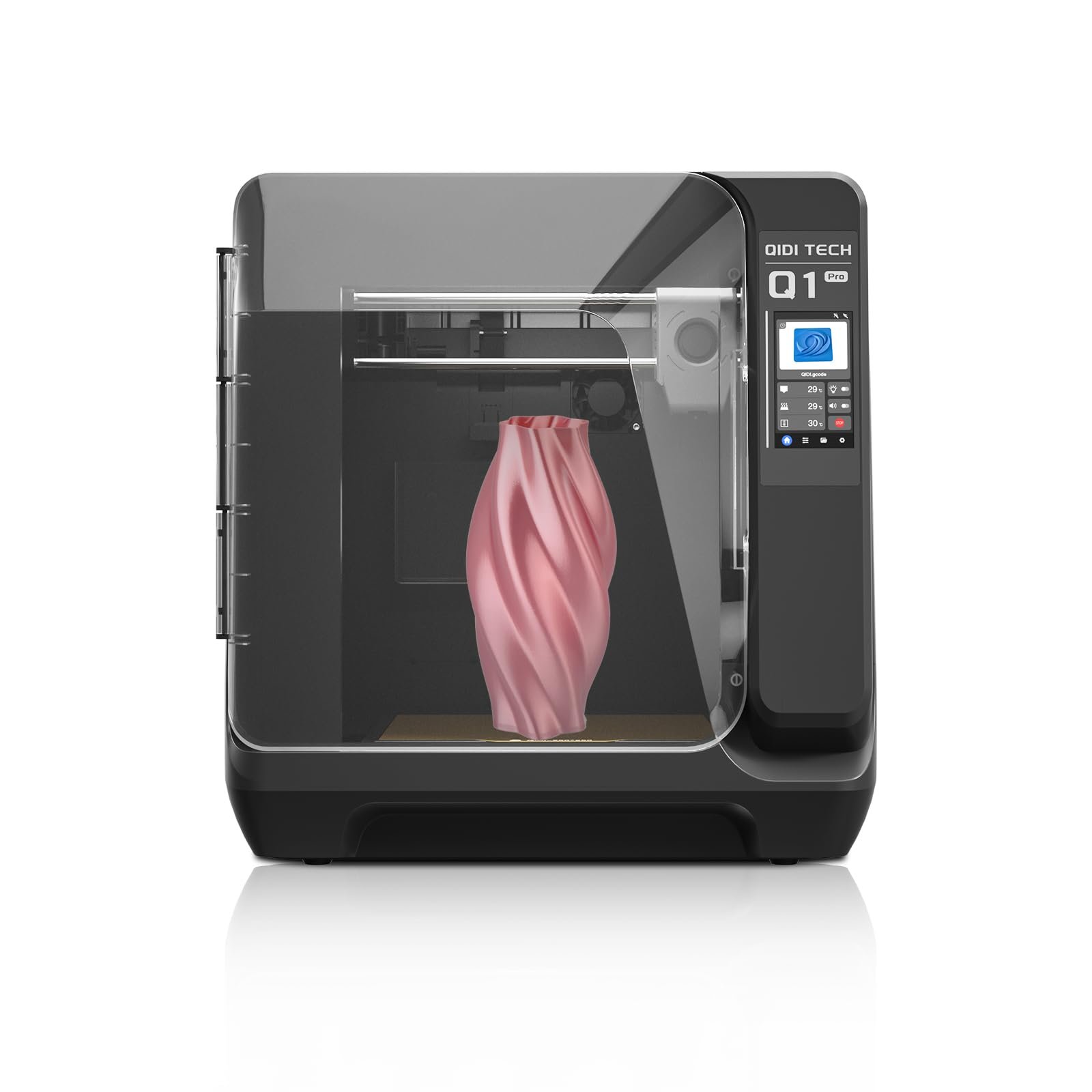
QIDI Q1 Pro — Best for Advanced Materials at Home
The Q1 Pro is the specialist of this roundup. It’s an enclosed CoreXY printer with an actively heated chamber (up to 60°C), a 350°C extruder, and support for carbon-fiber filaments — a combination that lets serious hobbyists and small shops print engineering-grade parts at home. The brand claims 600mm/s maximum speed with 20,000mm/s² acceleration, and it includes a built-in camera, tangle detection, and full auto leveling.
- Build volume: 245 × 245 × 240mm
- Speed: Up to 600mm/s max (brand claim), 20,000mm/s² acceleration
- Chamber: Actively heated to 60°C — rare at this price
- Hotend: 350°C; hardened steel direct extruder; carbon-fiber filament support
- Extras: Built-in camera, tangle detection, auto leveling, power-loss recovery
- Filaments: PLA, PETG, ABS, ASA, TPU, carbon-fiber blends
Pros: Heated chamber is a standout feature for warp-free ABS/ASA; highest hotend temperature here (350°C); hardened extruder handles abrasive filaments; enclosed and camera-equipped out of the box; strong option for functional-part printing.
Cons: Overkill (and overpriced) if you only print PLA; smaller community and fewer tutorials than Bambu/Creality; no multi-color system; the companion app gets mixed reviews from owners. See current price on Amazon →
How to Choose a 3D Printer
1. Match the printer to your materials. This is the single biggest decision. If you’ll print PLA and PETG (toys, organizers, cosplay props, prototypes), any open-frame printer here works. If you need ABS, ASA, nylon, or carbon-fiber blends (functional parts, outdoor use, heat resistance), you need an enclosed printer with a high-temp hotend — the K1C or Q1 Pro.
2. Decide how much tinkering you want. Bambu Lab and Flashforge machines aim for appliance-like simplicity: unbox, calibrate automatically, print. Klipper-based machines like the Neptune 4 Pro reward hands-on users with more control but expect more setup and tuning. Be honest about which camp you’re in — a “simple” printer you actually use beats a “powerful” one gathering dust.
3. Consider multi-color printing early. Adding multi-color later is usually expensive or impossible. If colorful models appeal to you, buy a printer with a filament system included (A1 Combo, Kobra 3 Combo) rather than hoping to upgrade later.
4. Don’t overbuy on speed. Every brand advertises eye-catching maximum speeds, but real-world print speed depends on the model, material, and quality settings. For most home users, the difference between 250mm/s and 600mm/s maximums matters less than reliability and first-layer consistency. If raw speed is your priority, see our high-speed 3D printers roundup.
5. Check the noise rating and footprint. A printer in a bedroom or home office needs to be quiet (the A1’s ≤48dB rating is genuinely low). Measure your desk too — enclosed printers and multi-color filament units take up more space than their build volume suggests.
6. Budget for filament and accessories. The printer is the entry ticket, not the total cost. Plan for several filament spools, spare nozzles, and possibly an enclosure or dryer box depending on your climate and materials.
Who Should Buy a 3D Printer (and Who Should Skip)
Buy one if you:
- Want to make custom parts, prototypes, organizers, toys, or cosplay props at home
- Enjoy hands-on hobbies and don’t mind a learning curve (or want a machine that minimizes it)
- Need functional parts in engineering materials — pair with an enclosed model
- Run a small business or side hustle making printed products
Skip (for now) if you:
- Only need one or two prints — a local library, makerspace, or print service is cheaper
- Expect perfect results with zero learning — every printer needs some dialing in
- Have no ventilated space and want to print ABS/ASA regularly (fumes are a real consideration)
- Need large-format prints — none of these exceed ~300mm; look at large-format machines instead
Frequently Asked Questions About 3D Printer
What is the best 3D printer for beginners in 2026?
For most beginners, the Bambu Lab A1 Combo: it calibrates itself, runs quietly, and produces great results with minimal tinkering. On a tight budget, the Creality Ender 3 V3 SE is the classic starter machine with a massive tutorial community behind it.
Do I need an enclosed 3D printer?
Only if you plan to print ABS, ASA, nylon, or polycarbonate — materials that warp without stable chamber temperatures and can produce fumes. For PLA and PETG, an open-frame printer is fine and often quieter and easier to maintain.
How much does it cost to run a 3D printer?
Beyond the printer itself, budget for filament (a 1kg spool typically prints many small-to-medium models), replacement nozzles, and electricity — most home printers draw a few hundred watts while heating, then much less while printing. Multi-color systems also consume extra filament for purge towers.
Are 3D printers safe to use at home?
Generally yes with common-sense precautions: PLA and PETG are low-odor and widely used indoors. ABS and ASA should be printed in ventilated spaces or with filtration (the K1C includes an activated carbon filter). Keep printers away from flammable materials and never leave any printer running completely unattended for very long prints without a camera.
What software do I need for 3D printing?
A “slicer” converts 3D models into printer instructions. Bambu Lab, Creality, Flashforge, Anycubic, ELEGOO, and QIDI all provide their own slicers free of charge, and models are widely available from free libraries online.
Can 3D printers print in multiple colors?
Yes, with a multi-material filament system. The Bambu Lab A1 Combo (AMS Lite) and Anycubic Kobra 3 Combo (ACE Pro) both support multi-color printing out of the box. Note that filament-swap systems purge material between color changes, so multi-color prints use extra filament.
Final Verdict: Best 3D Printer
The Bambu Lab A1 Combo is our top pick for most home users and creative professionals: fast, quiet, self-calibrating, and the only machine here that makes multi-color printing genuinely easy out of the box. It’s the closest thing to an appliance in this roundup. After comparing all the options, this remains our top recommendation for the best 3d printer.
Choose the Creality K1C if your work involves ABS, ASA, or carbon-fiber materials, the Ender 3 V3 SE if budget is the priority, and the QIDI Q1 Pro if you want a heated chamber for serious engineering filaments at home. Speed obsessives should also check our best high-speed 3D printers roundup and our laser printer guide if you need paper printing too.
As an Amazon Associate we earn from qualifying purchases. Prices and availability change frequently — see Amazon for the latest.
How we researched: We compared specifications from current Amazon listings (verified October 2026), aggregated commonly reported pros and cons from verified-purchase reviews and owner communities, and scored ease of use, material range, speed, and value. Maximum speed figures are manufacturers’ stated claims, not our measured results. We did not receive free products from any brand. Last updated: October 13, 2026.
Related Guides
Manufacturer resources: Bambu Lab, Creality, Flashforge, ELEGOO, Anycubic, QIDI.

Pingback: Best High-Speed 3D Printers (2026) - Products Buy Reviews
Pingback: Best Monitors for Vlogging & Content Creation (2026) - Products Buy Reviews
Pingback: Best Home Security Cameras (2026) - Products Buy Reviews
Pingback: Best AI Voice Recorders for Meetings (2026) - Products Buy Reviews
Pingback: Best Headphones for Music, Gaming & Work (2026) - Products Buy Reviews
Pingback: Best Gaming Laptops (2026): 6 Power Picks
Pingback: Best Neck Fans (2026): Stay Cool Hands-Free
Pingback: Best Gaming Mice (2026): 6 Top Picks for Every Grip
Pingback: Best Wireless Earbuds (2026): 6 Compared
Pingback: Best Laser Printers for Home & Office (2026)
Pingback: Best Bluetooth Trackers (2026): AirTag, Tile & More
Pingback: Best iPad Stylus Pens 2026: Apple Pencil & Alternatives
Pingback: Best Smart Light Bulbs for Alexa & Google (2026)
Pingback: Best Bluetooth Speakers (2026): 5 Compared
Pingback: Best Bluetooth Transmitters for TV (2026)
Pingback: Best Smartwatches (2026): 6 Top Picks Compared
Pingback: Best Trail Cameras (2026): Wildlife & Security Picks