

⭐ Our Pick: PLAUD Note Pro — 4.7/5
Best for: Professionals who want meeting notes that write themselves — automatic transcription, AI summaries, and smart detection of calls vs. in-person meetings, in a card-sized device.
Skip if: You just need simple audio capture without AI or subscriptions — the Sony ICD-PX370 records reliably for a fraction of the price with zero ongoing costs.
As an Amazon Associate we earn from qualifying purchases. How we research.
Best AI Voice Recorders for Meetings (2026)
Nobody takes good notes in meetings anymore — everyone’s either typing frantically or nodding along and forgetting everything by lunch. AI voice recorders fix this: they capture the conversation, transcribe it, and hand you a summary with action items before you’ve left the room. The category has exploded in the last two years, led by PLAUD’s card-sized devices, while classic recorders from Sony and budget brands still cover the “just record it” crowd.
We compared five of the most popular voice recorders on Amazon US — from premium AI notetakers to simple no-subscription classics — by examining their published specs, the AI features that actually differentiate them, and what verified owners say about transcription accuracy, battery life, and the ongoing subscription costs nobody advertises upfront. Specs were verified against current Amazon listings (October 2026).
The short answer: the PLAUD Note Pro is the best AI voice recorder for most professionals — automatic meeting/call detection, 50-hour battery, and the strongest AI feature set. The standard PLAUD Note is the smarter buy if you want AI transcription at a lower tier. The PLAUD NotePin S is the pick for hands-free wearable recording. And if you don’t need AI at all, the Sony ICD-PX370 and budget EVISTR L357 record reliably with zero subscription fees.
As an Amazon Associate we earn from qualifying purchases.
Quick Comparison of the Best AI Voice Recorders
| Product | Best for | Key spec | Price tier | Our rating |
|---|---|---|---|---|
| PLAUD Note Pro | Best AI overall | AI transcription, 50h battery, auto call/meeting detect | Premium | 4.7/5 |
| PLAUD Note | Best value AI | AI transcription, 30h battery, 64GB | Mid-range | 4.6/5 |
| PLAUD NotePin S | Wearable/hands-free | Clip/pin/wristband, 20h battery, 64GB | Mid-range | 4.5/5 |
| Sony ICD-PX370 | No-subscription classic | 57h battery, AAA power, microSD expandable | Budget | 4.4/5 |
| EVISTR L357 | Cheapest option | 64GB, voice activation, 32h recording | Budget | 4.3/5 |
Prices change frequently — click through to see the current price. Note: PLAUD’s AI transcription includes a free Starter Plan (300 minutes/month per the brand); heavier use requires a paid plan.
How We Scored These Recorders
AI recorders and classic recorders are really two different products, so we scored them on what each promises. For the AI devices: transcription quality and language support, summary usefulness, recording clarity (mic count, pickup range), and the true cost including subscriptions. For the classics: recording reliability, battery life, ease of file transfer, and zero-ongoing-cost value. We deliberately penalize nothing for being “dumb” — if you don’t need AI, paying for it is the mistake, not the recorder.
Detailed AI Voice Recorders Reviews
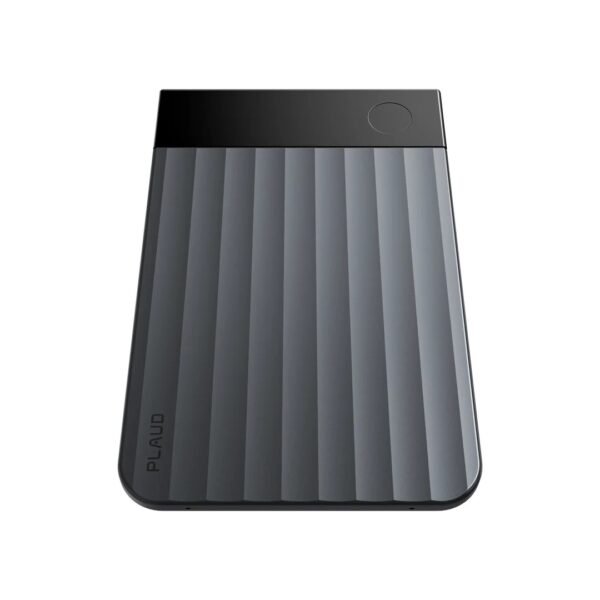
PLAUD Note Pro — Our Top Pick
The Note Pro is PLAUD’s flagship and the most capable AI recorder here. Four MEMS microphones plus a vibration sensor capture voices up to about 16 feet away, and it automatically detects whether you’re in a phone call or an in-person meeting and switches modes itself. The InstantView display shows recording status at a glance, the battery stretches to 50 hours, and the app turns recordings into transcripts, summaries, mind maps, and to-do lists in 112 languages (per the brand). If your job is meetings, this is the device that pays for itself in saved note-taking time.
- AI features: Transcription in 112 languages (brand claim), AI summaries, mind maps, to-do lists, “Ask AI” chat with your recordings
- Recording: 4 MEMS mics + 1 VPU; ~16.4 ft pickup range; auto call/meeting detection
- Battery: Up to 50 hours of continuous recording
- Storage: 64GB local + unlimited cloud storage (per the brand)
- Design: 0.12″ aluminum card; InstantView display; magnetic case and ring included
- Plan: Free Starter Plan with 300 AI transcription minutes/month (per the brand); paid tiers for more
Pros: The most complete AI feature set here; auto-detecting call vs. meeting mode removes friction; 50-hour battery is best-in-class for AI recorders; 16-foot pickup handles conference rooms; strong privacy certifications (SOC 2, HIPAA, GDPR per the brand).
Cons: Premium price plus a subscription if you exceed 300 free minutes a month — calculate your usage first; no Apple Find My (the NotePin has it); AI accuracy drops with heavy accents, crosstalk, or noisy rooms, like every transcription service.

PLAUD Note — Best Value AI Recorder
The standard PLAUD Note is the same card-sized concept at a friendlier price: 64GB of storage, 30 hours of recording, and the same app with transcription and AI summaries in 112 languages. The differences from the Pro: you switch between call and meeting modes manually, the mic array is smaller (2 MEMS + 1 VPU), pickup range is shorter (~10 ft), and there’s no status display. For small meetings, lectures, and interviews at a desk, most users won’t miss the Pro’s extras.
- AI features: Same Plaud app — transcription, summaries, mind maps, to-do lists in 112 languages (brand claim)
- Recording: 2 MEMS mics + 1 VPU; ~9.8 ft pickup range; manual call/meeting switching
- Battery: Up to 30 hours of continuous recording
- Storage: 64GB local + unlimited cloud storage (per the brand)
- Design: 0.12″ aluminum card; magnetic case and ring included
- Plan: Free Starter Plan with 300 AI transcription minutes/month (per the brand)
Pros: Full AI transcription and summaries for noticeably less than the Pro; 30-hour battery still covers a full work week of meetings; card form factor disappears into a pocket or attaches to a phone magnetically; same strong privacy posture.
Cons: Manual mode switching is one more thing to remember before a call; shorter pickup range struggles in large conference rooms; same subscription math applies past 300 free minutes; no status display — you check the app to confirm it’s recording.
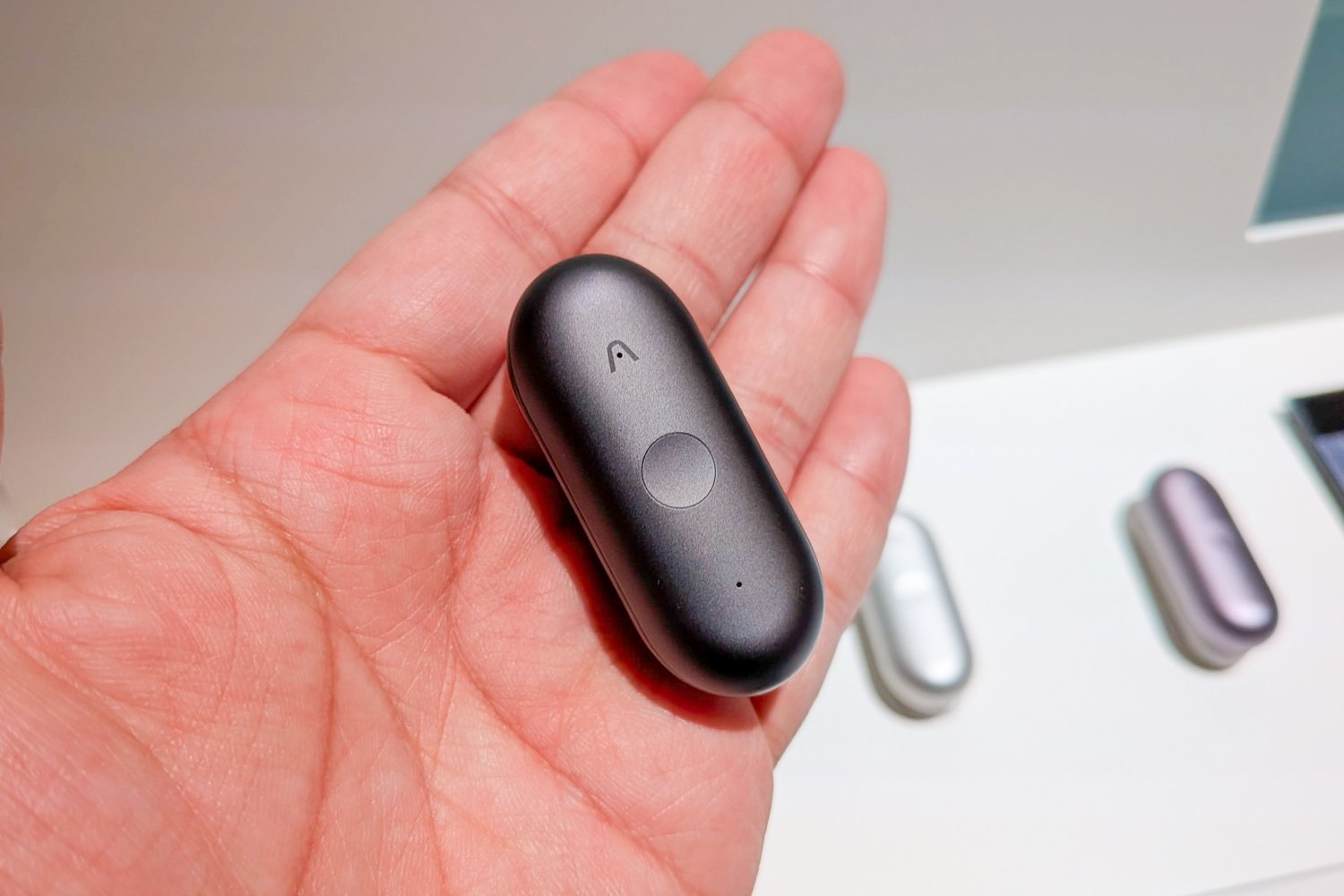
PLAUD NotePin S — Best Wearable for Hands-Free Recording
The NotePin S solves a different problem: what if you can’t — or shouldn’t — be holding a recorder? At 0.61 oz with four wearing modes (clip, magnetic pin, wristband, lanyard), it records hands-free while you walk a factory floor, shadow a colleague, or conduct interviews on the move. You get the same Plaud AI app (transcription, summaries, templates), 20 hours of recording, and 64GB of storage. It’s the pick for field workers, journalists, and anyone whose meetings happen standing up.
- Form factor: 0.61 oz wearable; clip, magnetic pin, wristband, and lanyard included
- AI features: Same Plaud app — transcription, summaries, 10,000+ templates (brand claim)
- Recording: 2 MEMS mics; ~9.8 ft pickup range; press-to-highlight key moments
- Battery: Up to 20 hours continuous; 40-day standby
- Storage: 64GB local + unlimited cloud storage (per the brand)
- Plan: Free Starter Plan with 300 AI transcription minutes/month (per the brand)
Pros: Truly hands-free — the only wearable here; four wearing modes cover almost any situation; press-to-highlight is great for marking key moments live; same AI app as the bigger devices.
Cons: 20-hour battery is the shortest of the PLAUDs; tiny size means it’s easier to misplace (no Find My on the S model); mic range is fine for conversations, not conference rooms; subscription applies past the free minutes like the others.
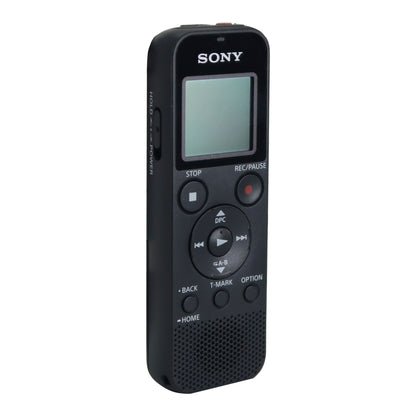
Sony ICD-PX370 — Best Classic (No Subscription)
Sometimes you don’t need AI — you need a recorder that turns on, captures clear audio, and dumps MP3s onto your computer without an app, an account, or a monthly fee. The ICD-PX370 has been the default recommendation for years for good reason: 57-hour battery on two AAA batteries, a built-in USB plug (no cable to lose), 4GB of internal memory expandable with microSD, and Sony’s Auto Voice Recording mode that optimizes for speech. Students, journalists on a budget, and anyone allergic to subscriptions should start here.
- Recording: MP3 recording; Auto Voice Rec mode reduces background noise; scene presets (meeting, interview, dictation, music)
- Battery: Up to 57 hours on 2 AAA batteries — swap in fresh ones anywhere
- Storage: 4GB internal (~59 hours at 128kbps) + microSD slot up to 32GB
- Transfer: Built-in direct USB connector — plug straight into a PC, no cable needed
- Cost: No app, no account, no subscription — ever
Pros: Zero ongoing costs; AAA batteries mean you’re never hunting for a charger; dead-simple operation; the built-in USB plug is genuinely convenient; proven reliability over years on the market.
Cons: No transcription or AI features at all — you’ll transcribe manually or with separate software; mono recording only; the interface feels dated next to a smartphone app; 4GB internal storage is small without a microSD card.
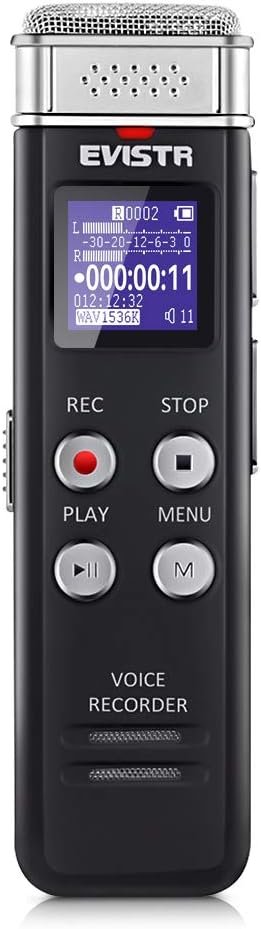
EVISTR L357 — Best Budget Pick
The EVISTR L357 is the “good enough” recorder: 64GB of storage, up to 1536kbps recording quality (the brand’s spec), voice-activated recording that pauses during silence, and a 500mAh rechargeable battery good for around 32 hours of recording. It doubles as an MP3 player, has a simple two-button operation, and costs a fraction of the Sony. It’s not fancy, but for lectures and casual interviews it does the job.
- Recording: WAV/MP3 up to 1536kbps (brand spec); 360° mic pickup; 7-level gain adjustment
- Storage: 64GB — up to thousands of hours at low bitrates (brand claim)
- Battery: ~32 hours recording / 35 hours playback per charge (brand spec)
- Features: Voice-activated recording, A-B repeat, timed recording, doubles as MP3 player
- Design: Metal body, ~2.2 oz, pocketable
Pros: The cheapest recorder here by a wide margin; 64GB is generous at this price; voice activation saves storage and skipping-through-silence time; simple enough for students and seniors.
Cons: Build quality and mic consistency trail the Sony; the menu system is clunky; no expandable storage; brand support is a generic Amazon seller, not Sony; some owners report the voice-activation sensitivity needs fiddling.
How to Choose the Best AI Voice Recorders
1. Decide: AI or classic? This is the whole decision. If you want transcripts and summaries without extra work, you need a PLAUD (or similar AI device) — and you accept the subscription math. If you just need reliable audio files, a classic recorder costs less upfront and nothing ever again.
2. Do the subscription math honestly. PLAUD’s free 300 minutes/month covers roughly 15 hours of meetings. If you record more than that regularly, factor a paid plan into the true cost. A “cheaper” AI recorder that needs a paid annual plan isn’t cheaper than the Pro for heavy users.
3. Match the mic to the room. Desk interviews and small meetings: any of these work. Conference rooms and lecture halls: you want the Note Pro’s longer pickup range or a recorder placed close to the speaker. No pocket recorder defies physics — distance is the enemy of clarity.
4. Battery vs. convenience. The Sony’s AAA batteries are unbeatable for travel (buy AAs anywhere); rechargeables (PLAUD, EVISTR) are cheaper long-term but need planning. For all-day conferences, 20 hours (NotePin S) is fine; for multi-day fieldwork, the Sony or Note Pro wins.
5. Check the law before you record. Recording consent laws vary by state and country — some require all parties’ consent. The PLAUD app itself reminds users of this. When in doubt, announce that you’re recording; it’s both legal protection and basic courtesy.
6. Think about your workflow. AI recorder users should check: does the app export to your tools (the Plaud app offers sharing and web access)? Classic recorder users should check: is file transfer painless (the Sony’s built-in USB wins here)? The best recorder is the one whose files you’ll actually use.
Who Should Buy (and Who Should Skip)
Buy the PLAUD Note Pro if you:
- Attend hours of meetings weekly and want notes, summaries, and action items automatically
- Record conference rooms or phone calls and need the longest pickup range
- Want the strongest battery in an AI recorder
Buy the PLAUD Note if you:
- Want full AI transcription at a lower price and mostly record small meetings or lectures
- Don’t mind switching call/meeting modes manually
Buy the NotePin S if you:
- Need hands-free recording — fieldwork, interviews on the move, shadowing
- Want a wearable that doesn’t look like a gadget
Buy the Sony ICD-PX370 or EVISTR L357 if you:
- Want zero subscriptions, zero apps, zero accounts — just audio files
- Are a student recording lectures on a budget
Skip AI recorders if you: record less than a few hours a month (your phone’s voice memos plus a free transcription app covers it), or you work somewhere that prohibits cloud-uploaded recordings — check your company’s policy first. Pair your setup with our wireless earbuds guide for listening back on the go.
Frequently Asked Questions About AI Voice Recorders
How accurate is AI transcription?
For clear, single-speaker audio in a quiet room, modern AI transcription is very good — most users report only minor corrections needed. Accuracy drops with crosstalk, heavy accents, jargon, and background noise. Always skim the transcript before relying on it for anything important.
Do PLAUD recorders work without a subscription?
Yes — recording itself always works, and every device includes a free Starter Plan with 300 AI transcription minutes per month (per the brand). You only need a paid plan if you regularly transcribe more than that.
Is it legal to record meetings without telling people?
It depends on where you are. Some US states require only one party’s consent (you), others require everyone’s. Other countries are stricter. The safe move is to announce recording at the start — most meeting cultures now expect it.
Can these record phone calls?
The PLAUD Note and Note Pro are designed for this — they attach magnetically to your phone and use a vibration sensor to capture call audio (the Pro detects calls automatically; the standard Note needs manual switching). Classic recorders like the Sony can’t easily record smartphone calls.
How is the Note Pro different from the regular Note?
The Pro adds automatic call/meeting detection, a longer mic pickup range (~16 ft vs ~10 ft), a bigger mic array, a 50-hour battery (vs 30), and an InstantView status display. The app and AI features are the same. Casual users won’t miss the Pro’s extras; heavy meeting users will.
What’s the best voice recorder for students?
For lectures on a budget, the Sony ICD-PX370 or EVISTR L357 — no subscriptions, dead simple. If you want lecture transcripts and summaries for studying, the standard PLAUD Note’s free 300 minutes/month usually covers a class schedule.
Final Verdict: Best AI Voice Recorders
The PLAUD Note Pro is our top pick for 2026: the most capable AI recorder here, with automatic call/meeting detection, the longest pickup range, a 50-hour battery, and an app that turns meetings into transcripts, summaries, and action items. After comparing all the options, this remains our top recommendation for the best ai voice recorders.
On a budget for AI, get the PLAUD Note. Need hands-free, get the NotePin S. And if you’d rather skip AI and subscriptions entirely, the Sony ICD-PX370 remains the reliable classic, with the EVISTR L357 as the cheapest way to press record.
Building a mobile work kit? See our guides to the best smartwatches and best monitor mounts for the rest of your setup.
As an Amazon Associate we earn from qualifying purchases. Prices and availability change frequently — see Amazon for the latest.
How we researched: We compared specifications from current Amazon listings (verified October 2026), aggregated pros and cons from verified-purchase reviews and owner forums, and scored transcription features, recording clarity, battery life, and true cost including subscriptions. Brand claims (e.g. transcription languages, free-plan minutes, pickup ranges) are the manufacturer’s own marketing and were not independently verified by us. We did not receive free products from any brand. Last updated: October 13, 2026.

Pingback: Best Laser Printers for Home & Office (2026)