⭐ Our Pick: FEELWORLD F5 PROX — 4.7/5
Best for: Vloggers, YouTubers, and mirrorless shooters who want a bright, daylight-visible 5.5″ touchscreen with pro focus and exposure tools — without paying pro-monitor prices. In this guide, we compare the best monitors for vlogging to help you pick with confidence.
Skip if: You want camera control from the monitor and the most polished software — the Atomos Shinobi II is the premium step up.
As an Amazon Associate we earn from qualifying purchases. How we research.
Best Monitors for Vlogging & Content Creation (2026)
Your camera’s built-in screen is lying to you. It’s small, it’s dim, and in sunlight it’s basically a mirror — which is why vloggers come home to discover their “perfect take” was soft, overexposed, or framed with a trash can in the background. An on-camera field monitor fixes all three: a bigger, brighter screen with focus peaking, exposure waveforms, and LUT previews so what you see is what you get.
We compared five of the most popular on-camera monitors on Amazon US — the field monitors vloggers, YouTubers, and indie filmmakers actually buy — by examining their published specs, brightness and panel quality, pro monitoring tools, power options, and what verified owners say about daylight visibility and reliability. Specs were verified against current Amazon listings (October 2026).
The short answer: the FEELWORLD F5 PROX is the best monitor for most creators — a 5.5″ 1600-nit touchscreen with 4K HDMI and full pro tools at a creator-friendly price. The Atomos Shinobi II is the premium pick with camera control and the most refined software. The Neewer F700 is the best 7″ value with a blazing 2000-nit screen and batteries in the box. The FEELWORLD F5 Pro V4 is the budget 6″ option, and the classic Lilliput A7s remains the cheapest way onto a bigger screen.
As an Amazon Associate we earn from qualifying purchases.
Quick Comparison of the Best Monitors For Vlogging
| Product | Best for | Key spec | Price tier | Our rating |
|---|---|---|---|---|
| FEELWORLD F5 PROX | Best overall | 5.5″ 1600-nit touchscreen, 4K HDMI, 3D LUT | Mid-range | 4.7/5 |
| Atomos Shinobi II | Premium pick | 5″ 1500-nit HDR touchscreen, camera control | Premium | 4.6/5 |
| Neewer F700 | Best 7″ value | 7″ 2000-nit touchscreen, 2 batteries included | Mid-range | 4.5/5 |
| FEELWORLD F5 Pro V4 | Budget 6″ | 6″ touchscreen, tilt arm, F970 battery plate | Budget | 4.4/5 |
| Lilliput A7s | Cheapest 7″ | 7″ 1920×1200, 4K HDMI passthrough | Budget | 4.3/5 |
Prices change frequently — click through to see the current price. Note: monitors need NP-F/L-series batteries or USB-C power — check what’s included in the box.
How We Scored These Monitors
For vlogging and content creation, a monitor has one job: let you trust what you see. We weighted daylight visibility (brightness in nits — the spec that matters most outdoors) heaviest, then monitoring tools (focus peaking, waveform, false color, LUT support), panel quality (resolution, color accuracy), size/weight balance for gimbal and handheld use, power flexibility, and value. A monitor you can’t see in sunlight is a paperweight with an HDMI port — brightness is not negotiable for outdoor creators.
Detailed Monitors For Vlogging Reviews
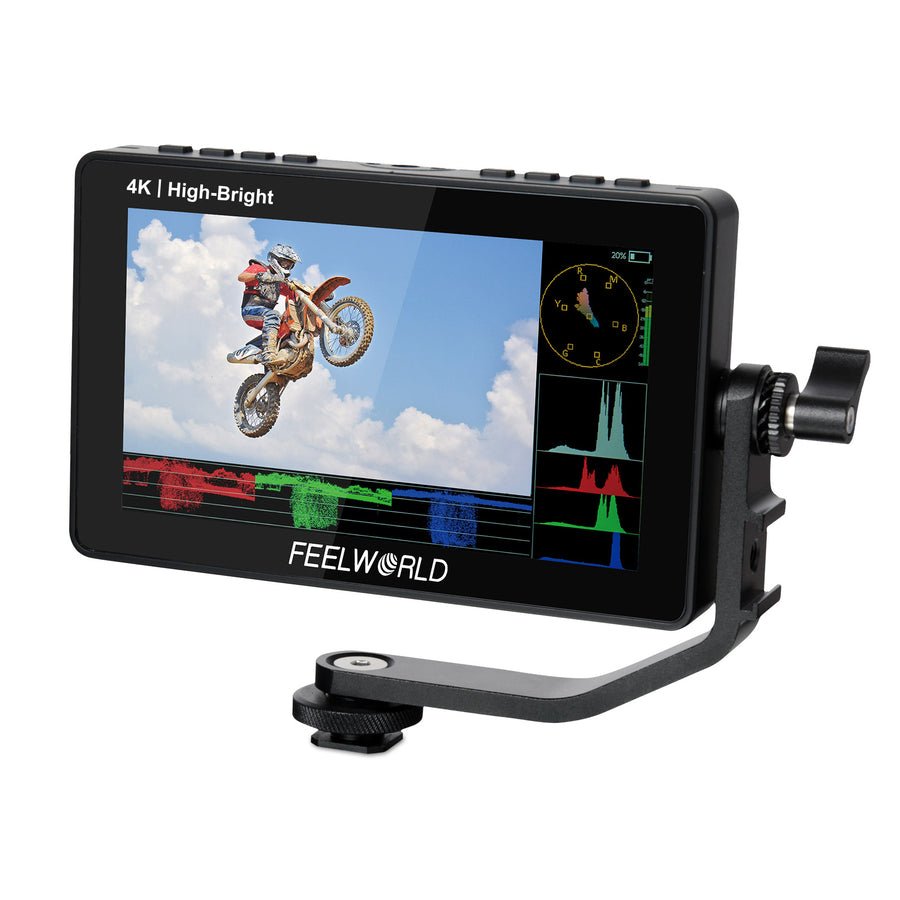
FEELWORLD F5 PROX — Our Top Pick
The F5 PROX is the sweet spot of the monitor world: a 5.5″ touchscreen at 1600 nits — bright enough for genuine daylight visibility — with 4K HDMI input, 3D LUT support, and the full suite of pro tools (waveform, false color, focus peaking, histogram). It’s consistently one of Amazon’s best-selling video monitors, and it’s easy to see why: it gives vloggers and mirrorless shooters everything they actually use, in a lightweight body that won’t unbalance a gimbal, at a price that doesn’t require a production budget.
- Display: 5.5″ Full HD (1920×1080) touchscreen, 1600 nits — daylight visible
- Input: 4K HDMI in (with loop-out on kits); wide camera compatibility
- Tools: Focus peaking, waveform, histogram, false color, 3D LUT preview, frame guides
- Power: Sony F970 battery plate + 8.4V DC out (can power your camera); Type-C input on kits
- Mounting: 360° tilt arm included — better positioning than a basic cold shoe
- In the box: Monitor, F970 battery, carry bag, HDMI cables, sunshade, tilt arm (kit version)
Pros: 1600 nits is genuinely usable in sunlight; the kit includes battery, bag, and cables — true ready-to-shoot value; lightweight and gimbal-friendly; pro tools cover everything a solo creator needs.
Cons: 5.5″ can feel small if you’re used to 7″ (it’s the portability tradeoff); the menu system is functional rather than beautiful; no camera control features like the Atomos; color accuracy is good for the price, not reference-grade.
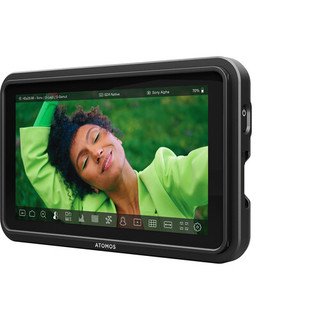
Atomos Shinobi II — Best Premium Pick
Atomos is the pro brand in this space, and the Shinobi II is its vlogger-friendly flagship: a 5″ 1500-nit HDR touchscreen running AtomOS with the most polished monitoring software here. The standout feature is camera control — with compatible cameras you can adjust settings and even tap-to-focus from the monitor itself. Add EL Zone exposure, ARRI-style false color, anamorphic desqueeze, and a slim 210g body, and it’s the monitor for creators who’ve outgrown the basics.
- Display: 5″ Full HD HDR touchscreen, 1500 nits, 10-bit panel with anti-reflective coating
- Input: 4K HDMI in; HDR/HLG/PQ support for Log shooting
- Tools: Camera control + touch-to-focus (compatible cameras), EL Zone, ARRI false color, waveform, RGB parade, vectorscope, multi-tool analysis view
- LUTs: 3D and 1D LUT support via SD card
- Power: NP-F battery compatible + USB-C PD power; ~210g lightweight body
- Build: Slim, rugged design with Atomos locking-cable ecosystem support
Pros: Camera control from the touchscreen is a genuine workflow upgrade; the most refined monitoring software here; 1500-nit HDR panel looks superb; ultra-light at ~210g; excellent Log/HDR shooting aids.
Cons: Premium price — roughly double the FEELWORLD; camera control only works with supported camera models (check yours); battery and cables often sold separately, raising the real cost; 5″ is compact — some prefer bigger for studio work.

Neewer F700 — Best 7″ Value
If you want maximum screen for minimum money, the Neewer F700 is hard to argue with: a 7″ 2000-nit touchscreen — the brightest panel here — with 4K HDMI loop in/out, 3D LUT support, and the full pro toolset. The kit version ships with two NP-F750 batteries, so you’re shooting out of the box. It’s bigger and heavier than the 5.5″ options, which makes it better suited to tripod, slider, and studio work than gimbals — but for the price, the screen real estate is unmatched.
- Display: 7″ Full HD (1920×1080) IPS touchscreen, 2000 nits — brightest here
- Input: 4K HDMI loop in/out; 3.5mm headphone jack for audio monitoring
- Tools: False color, zebras, histogram, waveform, vectorscope, HDR, focus peaking; 15 preloaded + 60 custom 3D LUTs
- Power: NP-F battery plates + Type-C charging; two NP-F750 batteries included in kit; 8V DC out can power camera
- Extras: F1/F2/F3 shortcut buttons, cold shoe mount, firmware upgrade via SD card
Pros: 2000 nits beats everything here for harsh sunlight; 7″ screen is glorious for focus pulling and client viewing; batteries included in the kit — no hidden costs; deep toolset rivals monitors twice the price.
Cons: 7″ size and weight make it awkward on small gimbals and handheld rigs; Neewer’s menu polish trails Atomos; battery life at full 2000-nit brightness drains faster — carry spares; the brand’s long-term support is less proven than Atomos/FEELWORLD.

FEELWORLD F5 Pro V4 — Best Budget 6″
The F5 Pro V4 is FEELWORLD’s answer to creators who want the brand’s reliability at the lowest possible price: a 6″ Full HD touchscreen with 4K HDMI in/out, 3D LUT support, the standard pro tools (histogram, false color, focus peaking, frame guides), and FEELWORLD’s clever external install/power kit design that lets you mount accessories and power the monitor flexibly. The 6″ size splits the difference between pocketable 5.5″ and bulky 7″ nicely.
- Display: 6″ Full HD (1920×1080) touchscreen with Rec.709 color calibration (brand claim)
- Input: 4K HDMI in/out without delay
- Tools: Histogram, false color, focus assist, embedded audio, pixel-to-pixel, frame guides, 3D LUT (up to 32 custom)
- Power: Built-in Sony F970 battery plate; 8.4V DC out charges/powers camera; Type-C power input
- Mounting: 360° tilt arm included — flexible positioning
- Design: Lightweight, gimbal-friendly 6″ form factor
Pros: The cheapest way into a current-gen FEELWORLD; 6″ is a versatile middle size; tilt arm and power-out features punch above the price; Rec.709 calibration is a nice touch at this tier.
Cons: Lower brightness than the F5 PROX — struggles more in direct sun; fewer nits and a less premium panel than its bigger sibling; accessory bundle varies by listing — check what’s included.
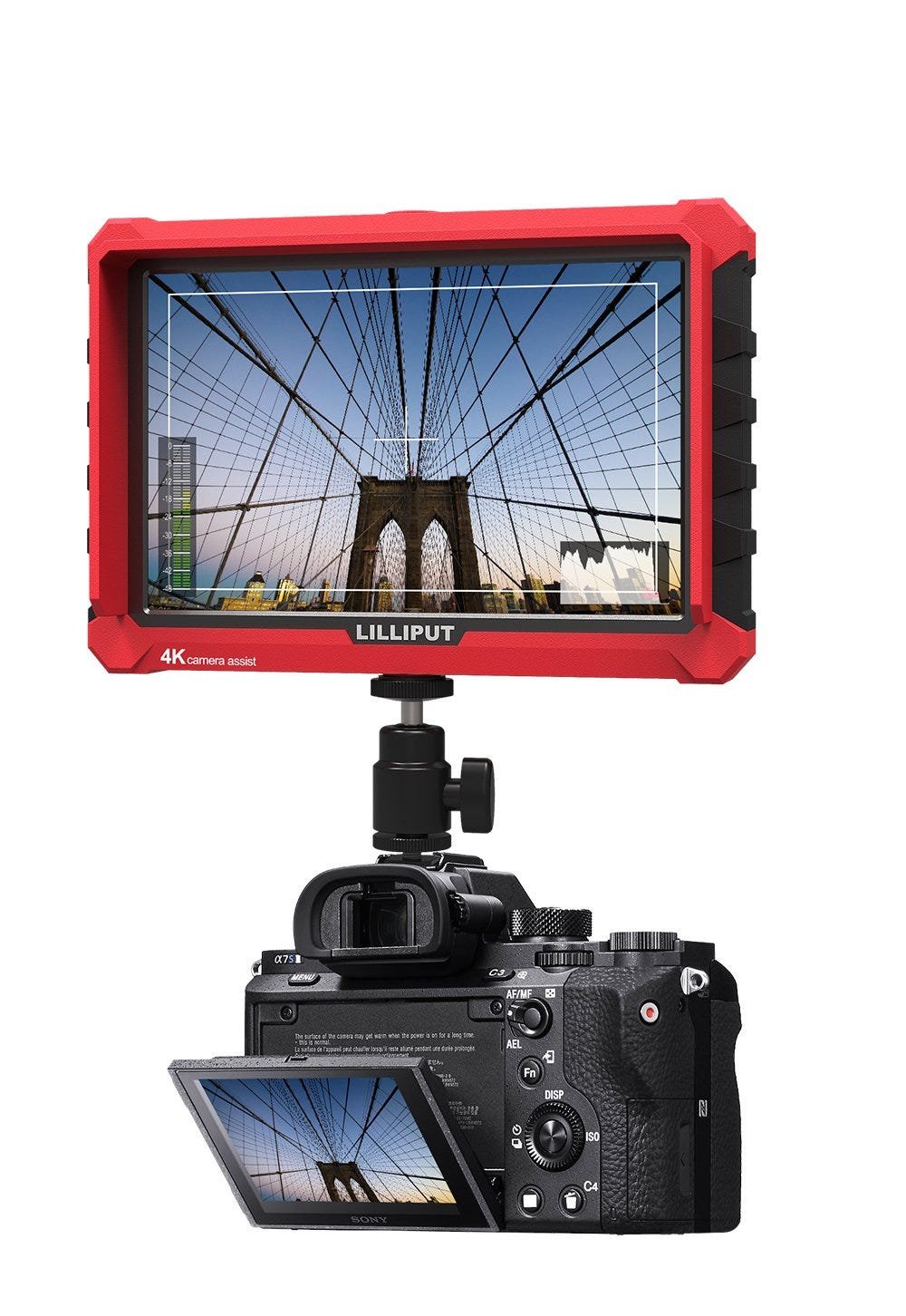
Lilliput A7s — Cheapest 7″ Option
The Lilliput A7s is the old reliable of budget monitors: a 7″ 1920×1200 IPS panel (slightly taller 16:10 aspect ratio) with 4K HDMI input and loop output, peaking, false color, histogram, and audio meters. At 500 nits it’s not a daylight monitor — this is an indoor/studio/shaded-outdoor tool — but it’s featherlight at ~320g, comes with a sun hood and silicone case, and costs less than a decent HDMI cable collection. For creators on the tightest budget, it’s a legitimate entry point.
- Display: 7″ 1920×1200 IPS, 500 nits, 1000:1 contrast, 170° viewing angle
- Input: 4K HDMI in with loop-out passthrough
- Tools: Peaking, false color, exposure/histogram, audio level meter; F1/F2 customizable keys
- Power: NP-F battery plates; 12V DC input
- Design: ~320g, 20.5mm thin; silicone case and sun hood included
Pros: The lowest price for a 7″ monitor here; 1920×1200 gives extra vertical space; light and thin; includes protective case and hood.
Cons: 500 nits is unusable in direct sunlight — strictly a shade/studio monitor; no touchscreen (button navigation); older design with a less refined menu; 4K is passthrough only, panel is Full HD.
How to Choose the Best Monitors For Vlogging
1. Brightness first, everything else second. For outdoor vlogging, 1000+ nits is the practical minimum — below that, you’re shading the screen with your hand. The Neewer (2000) and FEELWORLD PROX (1600) are true daylight monitors; the Lilliput (500) is not. Match nits to where you actually shoot.
2. Pick your size for your rig. 5–5.5″ is the vlogging/gimbal sweet spot — big enough to nail focus, small enough to balance. 7″ is better for tripod work, interviews, and letting clients see the shot, but it’s heavy on a handheld rig. When in doubt, go smaller; you can always add a 7″ later for studio days.
3. Learn the three tools that matter. Focus peaking (nail manual focus), waveform/false color (nail exposure), and 3D LUT preview (see your final look while shooting Log). Every monitor here has them — the difference is how pleasant they are to use, where Atomos leads.
4. Check what’s in the box. Monitor prices are misleading: batteries, cables, sunshades, and mounts add up. The FEELWORLD PROX and Neewer F700 kits include batteries — factor the cost of accessories into any “bare” monitor price before comparing.
5. Power planning. NP-F/L-series batteries are the standard — they’re cheap and last hours. USB-C PD is convenient for studio use. The 8V DC-out feature (FEELWORLD, Neewer) that powers your camera from the monitor’s battery is genuinely useful for long shoots.
6. Don’t buy resolution you can’t see. All of these panels are Full HD — “4K” refers to the HDMI input signal, not the screen. That’s fine: at 5–7″, Full HD is plenty sharp for focus and framing. Pay for brightness and tools, not panel resolution.
Who Should Buy (and Who Should Skip)
Buy the FEELWORLD F5 PROX if you:
- Vlog or shoot outdoors and need a daylight-visible touchscreen
- Want pro tools and a complete kit (battery, bag, cables) at a fair price
- Use a gimbal or handheld rig where weight matters
Buy the Atomos Shinobi II if you:
- Want camera control from the monitor and the best monitoring software
- Shoot Log/HDR and need serious exposure tools
- Have the budget for the premium pick
Buy the Neewer F700 if you:
- Want the biggest, brightest screen for the money (tripod/studio work)
- Need batteries in the box with zero extra purchases
Buy the F5 Pro V4 or Lilliput A7s if you:
- Are on a tight budget — the V4 for a modern 6″ touchscreen, the A7s for the cheapest 7″ possible (shade/studio use)
Skip a field monitor if you: only shoot indoors with your camera on a tripod near a laptop — tethered shooting to a laptop gives you a bigger screen free. And if your camera has a flip screen and you only vlog talking-head style, a monitor is a nice-to-have, not a need. Pair your video kit with our best gaming laptops guide for editing.
Frequently Asked Questions About Monitors For Vlogging
Do I need a monitor for vlogging, or is my camera screen enough?
For casual talking-head vlogs, your flip screen is fine. A monitor earns its keep when you shoot manual focus, shoot in bright sunlight, shoot Log footage, or work with a crew — anywhere the tiny built-in screen can’t be trusted.
What does “nits” mean, and how many do I need?
Nits measure screen brightness. Indoors, 500 nits is plenty. Outdoors in shade, aim for 1000+. In direct sunlight, 1500–2000 nits (like the Neewer F700 or FEELWORLD F5 PROX) is what actually stays visible.
What’s the difference between a monitor and a monitor-recorder?
A monitor only displays the image; a recorder (like the Atomos Ninja series) also records high-quality video files. Monitors are cheaper, lighter, and all most vloggers need — pay for recording only if your camera’s internal recording limits you.
Will these monitors work with my camera?
If your camera has an HDMI output (micro, mini, or full-size), yes — with the right cable. All five monitors accept standard HDMI signals up to 4K. Mirrorless cameras from Sony, Canon, Nikon, Panasonic, and Fujifilm all work.
What batteries do field monitors use?
Almost all use Sony NP-F/L-series batteries — the industry standard, available cheaply in multiple capacities. Many also accept USB-C PD power. Check whether batteries are included: kits (F5 PROX, F700) include them; bare monitors often don’t.
Can a monitor power my camera too?
Several here can: the FEELWORLD monitors and Neewer F700 have DC outputs that can run your camera via a dummy battery adapter (sold separately). It’s a great way to extend shooting time with one big NP-F battery doing double duty.
Final Verdict: Best Monitors For Vlogging
The FEELWORLD F5 PROX is our top pick for 2026: a 5.5″ 1600-nit touchscreen with 4K HDMI, full pro monitoring tools, and a complete kit (battery, bag, cables) at a price solo creators can justify. It’s the monitor we’d buy for vlogging. After comparing all the options, this remains our top recommendation for the best monitors for vlogging.
Step up to the Atomos Shinobi II for camera control and the best software. Go big and bright with the Neewer F700‘s 7″ 2000-nit screen. Save money with the FEELWORLD F5 Pro V4, or go cheapest with the Lilliput A7s for shade and studio work.
Building your creator desk? See our guides to the best monitor mounts and best styluses for iPad.
As an Amazon Associate we earn from qualifying purchases. Prices and availability change frequently — see Amazon for the latest.
How we researched: We compared specifications from current Amazon listings (verified October 2026), aggregated pros and cons from verified-purchase reviews and creator forums, and scored daylight visibility, monitoring tools, panel quality, size/weight, power options, and value. Brand claims (e.g. brightness figures, battery runtimes, color calibration) are the manufacturer’s own marketing and were not independently verified by us. We did not receive free products from any brand. Last updated: October 13, 2026.
Manufacturer resources for vlogging monitors: FEELWORLD, Atomos, Neewer.